
How to Deploy Fonts in Windows Using GPO (Group Policy Objects)
- Last updated: Jun 25, 2025

I needed to deploy a font across multiple computers in a Microsoft Windows Active Directory environment. Surprisingly, Windows doesn't offer a native way to distribute fonts using Group Policy Objects (GPO). To work around this limitation, I created a batch script that runs at startup via Group Policy, ensuring the font is installed automatically when users log on.
Font file
First, obtain the font file you want to deploy. In this example, we'll use the "STD-Regular (OpenType)" font as a reference.

The objective is to copy the font file to the "C:\Windows\Fonts" directory on each target machine that requires the font.
Batch Script
Key Commands Explained
- Check the Windows Registry to determine whether the STD-Regular (OpenType) font is already installed:
reg query "HKLM\SOFTWARE\Microsoft\Windows NT\CurrentVersion\Fonts" | findstr "STD-Regular (OpenType)"- Copy the font file from the SYSVOL folder in Active Directory to the
C:\Windows\Fontsdirectory:
copy \\std.local\SYSVOL\std.local\scripts\STD-Regular.otf C:\Windows\Fonts\- Add an entry for the font in the Windows Registry so the system recognizes it:
reg add "HKLM\SOFTWARE\Microsoft\Windows NT\CurrentVersion\Fonts" /v "STD-Regular (OpenType)" /t REG_SZ /d STD-Regular.otf /fComplete batch script
- Save the following script in the
C:\Windows\SYSVOL\sysvol\yourdomain.local\scripts\directory on your Active Directory server:
@echo off

REM Check whether the font is already registered in Windows
reg query "HKLM\SOFTWARE\Microsoft\Windows NT\CurrentVersion\Fonts" | findstr "STD-Regular (OpenType)"

REM Stop the script if the font registry entry already exists
IF %ERRORLEVEL% == 0 goto END

REM Copy the font file from the domain SYSVOL share to the Windows Fonts directory
copy \\std.local\SYSVOL\std.local\scripts\STD-Regular.otf C:\Windows\Fonts\

REM Register the font in the Windows registry
reg add "HKLM\SOFTWARE\Microsoft\Windows NT\CurrentVersion\Fonts" /v "STD-Regular (OpenType)" /t REG_SZ /d STD-Regular.otf /f

REM End of the script
:END- On your Active Directory server, save both the batch script and the
STD-Regular.otffont file in theC:\Windows\SYSVOL\sysvol\std.local\scripts\directory:
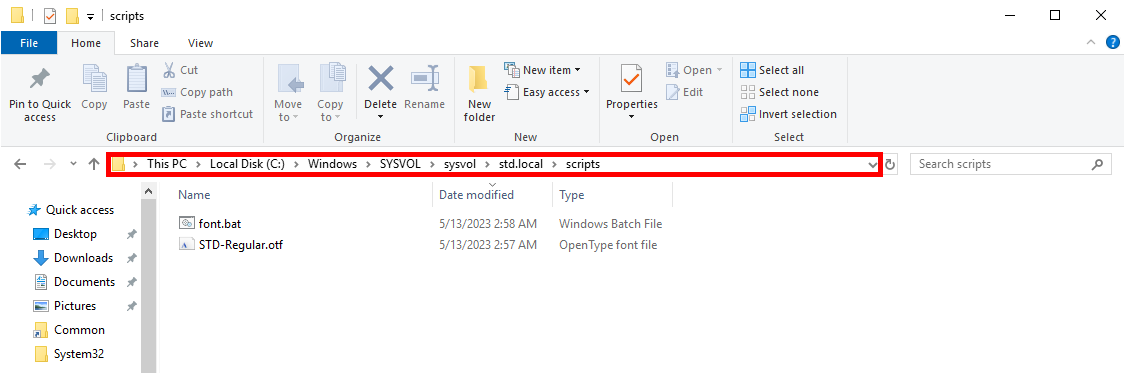
Create a Group Policy Object
To automate the font installation process, we’ll create a Group Policy Object (GPO) that executes the batch script when domain computers start up.
- Open the Active Directory Users and Computers console:
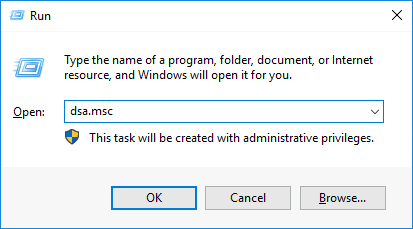
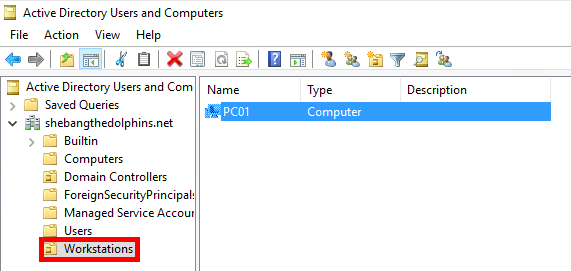
- Move the computers where the font should be installed into the Workstations Organizational Unit (OU):
- Open the Group Policy Management console:
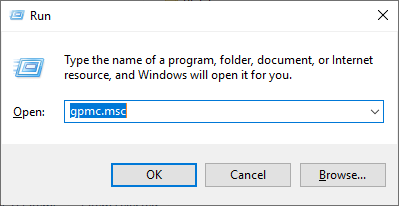
- Create a new Group Policy Object (GPO):
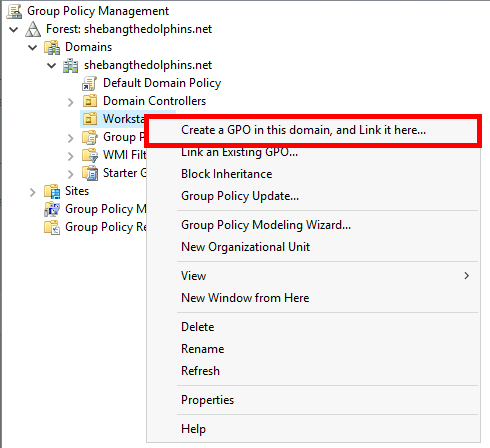
- Assign a descriptive name to the new GPO (e.g., "Deploy - font"):
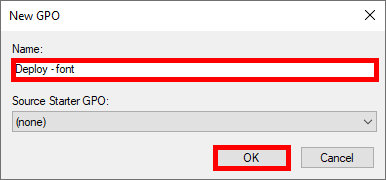
- Edit the newly created Group Policy Object (GPO):
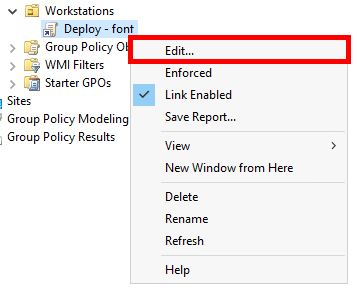
- Navigate to Computer Configuration > Policies > Windows Settings > Scripts (Startup/Shutdown). Then right-click on Startup and select Properties:
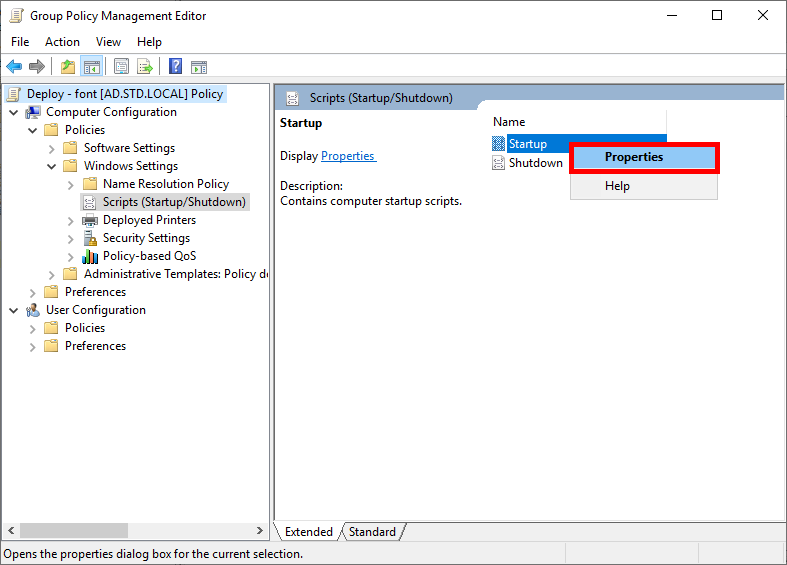
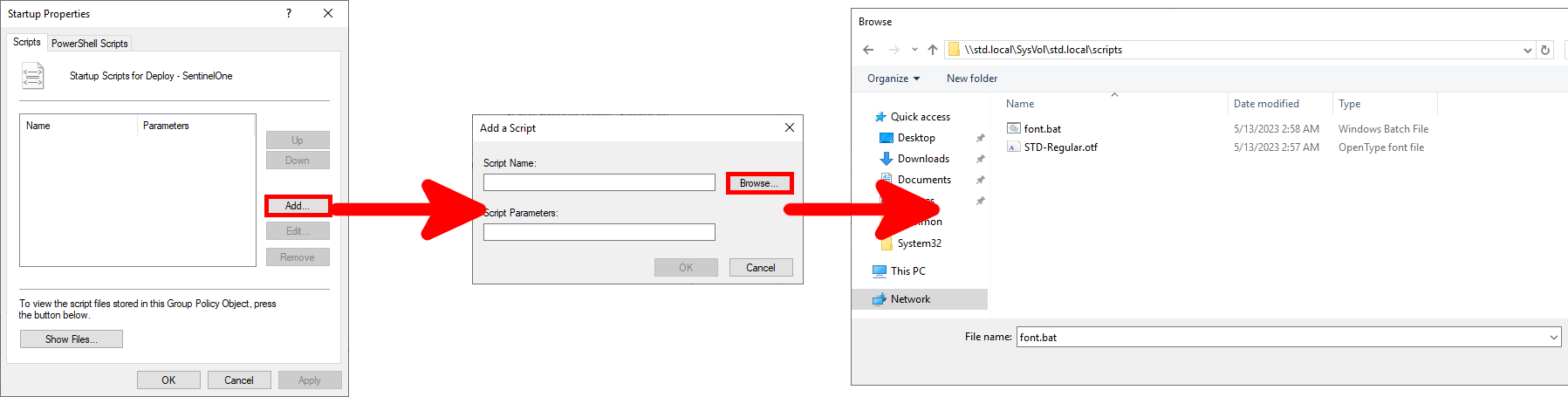
- Click Add…, then Browse to locate and select the
font.batscript file:
And voila… The font deployment is now automated across domain computers at startup!